
VS Code Theme and Extensions - Tools I Built for My Daily Productivity
December 26, 2025
As a developer, I spend most of my day in VS Code and Cursor. Over time, I found myself wanting tools that fit my exact workflow—so I built them. These four projects started as solutions to my own productivity needs, and now I use them every day. They're available on both the VS Code Marketplace and Open VSX Registry, so you can use them too whether you're on VS Code, VSCodium, or any other VS Code-based editor.
.K Material Theme
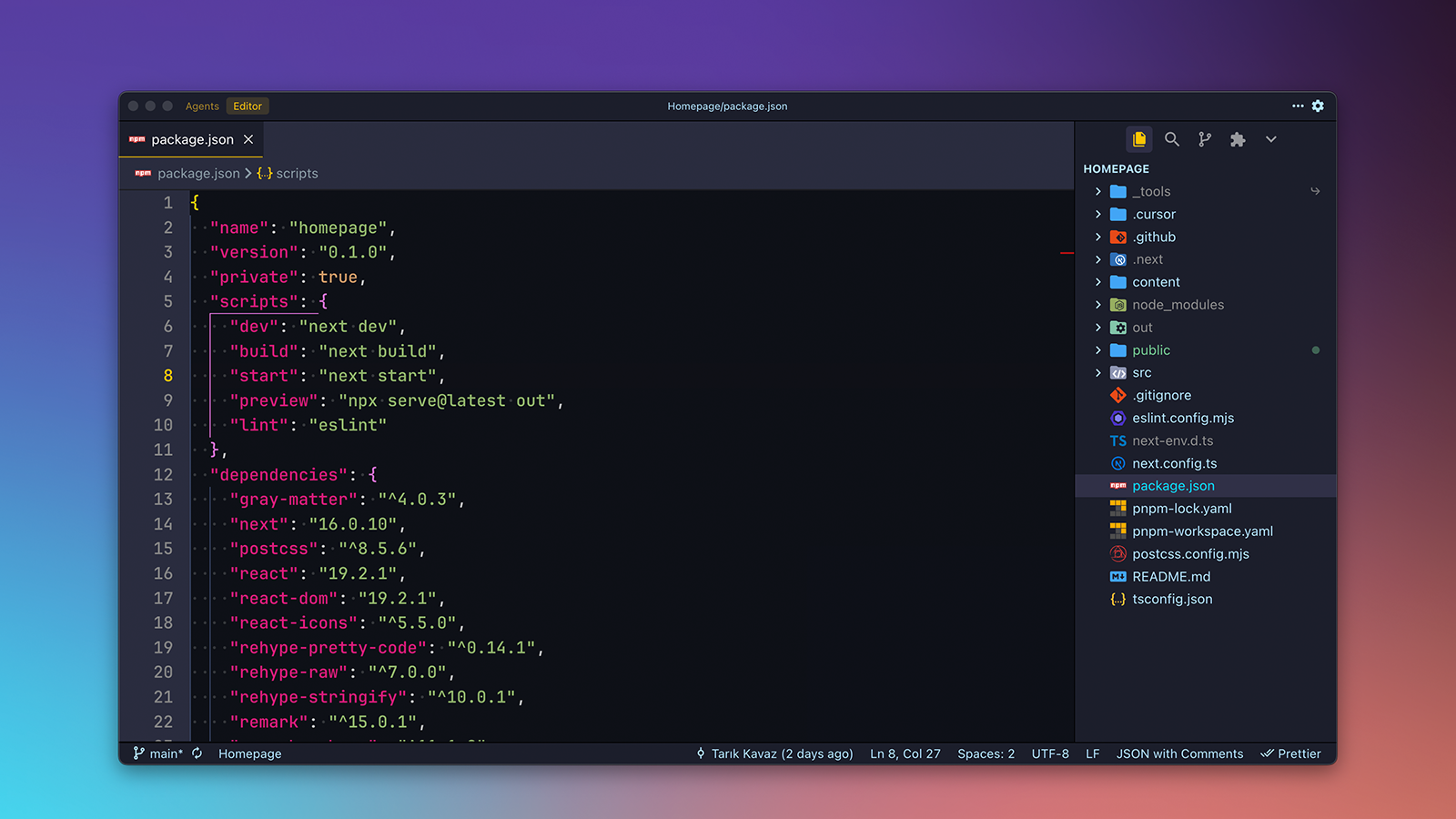
After trying countless themes, I couldn't find one that combined material design principles with a comfortable dark palette optimized for long coding sessions. That's how .K Material was born. It's designed to be easy on the eyes during extended use while maintaining excellent contrast and readability across different file types—from JavaScript and Python to markdown and configuration files.
The theme balances familiar and fresh, with a carefully crafted color palette that highlights syntax without overwhelming the code. It works seamlessly with the integrated terminal and command palette, creating a consistent visual experience throughout the editor. Whether I'm working on frontend code, backend services, or documentation, .K Material provides the comfortable viewing experience I need.
Download: VS Code Marketplace | Open VSX Registry
Open Files Externally

I was constantly switching between VS Code and other applications—opening documents in Affinity Pages and Numbers, editing images in external tools, or viewing PDFs in my preferred reader. The built-in "Open With" functionality felt limited, which led me to build Open Files Externally to streamline this workflow. The extension adds context menu items that let you open files with configured external applications, making it easy to use the right tool for each file without leaving your editor.
You configure multiple apps and associate them with specific file types. When you right-click a file, you'll see the relevant applications in the context menu. If multiple apps are configured for the same file type, you get a quick pick menu to choose. If only one matches, it opens directly—no unnecessary clicks. The extension works cross-platform, handling platform-specific differences automatically so your configuration works on Windows, macOS, and Linux.
Download: VS Code Marketplace | Open VSX Registry
Typedown - WYSIWYG Markdown Editor

When writing documentation, blog posts, or README files, I found myself switching between the editor and preview pane to see how my Markdown formatting looked. I wanted a visual editing experience without leaving my editor, which led to Typedown. It brings WYSIWYG (What You See Is What You Get) editing directly into VS Code and Cursor, powered by Tiptap. Instead of staring at raw Markdown syntax, you edit with a visual, rich-text interface that shows formatted output as you type.
Typedown integrates seamlessly with VS Code and Cursor. You can open any .md file in WYSIWYG mode through the file explorer context menu, editor tab context menu, command palette, or keyboard shortcut. Edit visually with support for headings, bold, italic, lists, links, images, code blocks, tables, and blockquotes. When you switch back to the default editor, your Markdown syntax is preserved exactly as it should be. The extension respects your VS Code font settings but lets you customize the appearance to match your preferences.
Download: VS Code Marketplace | Open VSX Registry
Workspace To-do's

Managing tasks across different projects became a hassle with separate todo apps that weren't integrated into my workflow. I needed something workspace-specific that stored todos with my project files and let me organize them without leaving my editor. That's how Workspace To-do's came about—an extension that manages workspace-specific todo lists directly in VS Code, stored in .vscode/todos.json alongside your project files.
The extension features a split sidebar view with drag-and-drop sorting, a comprehensive label system for organizing todos by priority, type, status, and more, file associations to link workspace files to todos, subtasks for breaking down complex todos, and context menu integration to quickly add files or selected text. It includes a rich Monaco editor with Markdown support for detailed notes and automatically saves changes as you work. Whether I'm tracking bugs, planning features, or organizing project tasks, Workspace To-do's keeps everything organized right where I'm working.
Download: VS Code Marketplace | Open VSX Registry
Credits
Header image background uses a modified wallpaper from Folds (Wallpaper Pack) by Marcus Wilter, licensed via Gumroad.