Posta: A Native Gmail Client for My Mac
October 21, 2026
I have several Google accounts: a personal Gmail address, my own domain on Google Workspace, and a work account. For years I moved between browser tabs, the Gmail web app and a couple of desktop clients, and none of them felt quite right. Posta is the mail app I built to fix that for myself.
I build apps like this for my own use. Anyone is welcome to use them, but I am not trying to make money from them. I wrote more about that idea in the homegrown software post. This post goes into Posta itself: why it is native, what it does, how it treats accounts, and what I chose to leave out.
Why a Native Client
Gmail in a browser works, but it lives in a tab among dozens of other tabs. It does not behave like a Mac app. Keyboard shortcuts are Gmail's own, the window is a web page, and notifications depend on the browser being open.
General-purpose mail clients solve some of that, but most of them are built around IMAP and try to support every provider. Gmail is not really an IMAP service. Labels, threads, archive and starring are Gmail concepts, and IMAP clients have to translate them into folders and flags. Something always gets lost in that translation.
Two decisions came early. Posta is a SwiftUI app, so it looks and behaves like the rest of macOS. And it talks to Gmail through the Gmail API instead of IMAP, so labels, threads and archiving work the way they do in Gmail itself. That one choice removed a whole category of problems.
What It Does Well
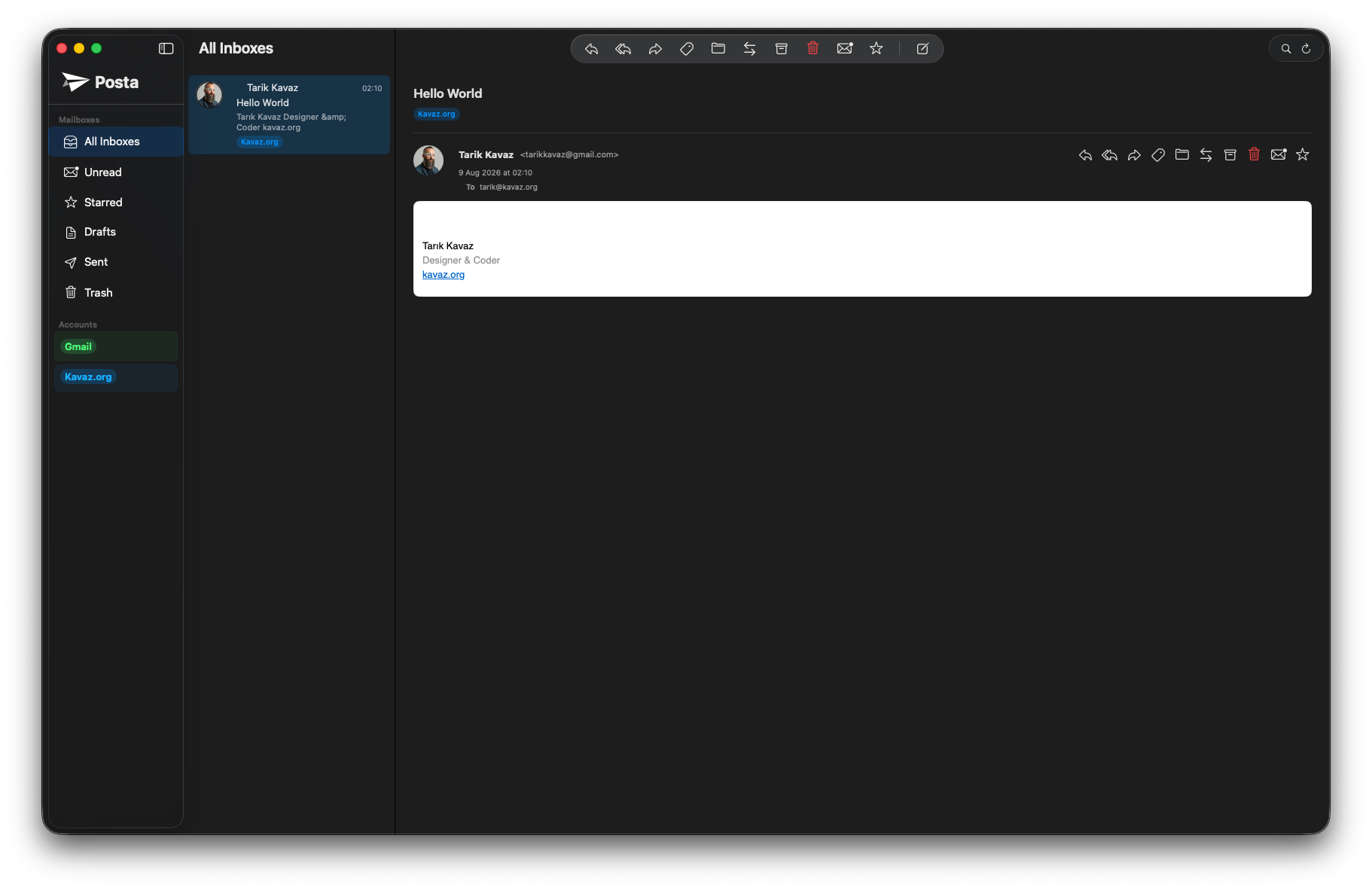
The core is a three-pane window with mailboxes and accounts on the left, the message list in the middle and the open conversation on the right. The sidebar has All Inboxes, Unread, Starred, Drafts, Sent and Trash, plus your Gmail labels as a folder tree.
From there, the everyday actions are all covered:
- Reading. HTML mail renders with inline images. Message bodies are fetched only when you open them, while the metadata is cached locally, so the list stays fast. Conversations can show the newest or the oldest message first.
- Writing. Compose, reply, reply all and forward, with a rich-text editor, file attachments, recipient suggestions from macOS Contacts, and drafts that sync with Gmail.
- Organising. Archive, trash, mark read or unread, star, and apply or move to labels. When you move a message, Posta suggests existing labels as you type, so you do not have to scroll through a long list.
- Searching. Search runs across all accounts at once. It combines a fuzzy search over the local cache with a Gmail API search, so mail that is not cached locally is still found.
- Staying informed. Posta checks the inbox in the background and sends macOS notifications. Clicking a notification opens that message.
Keyboard support was a priority, because I rarely want to reach for the mouse while working through mail. Compose, reply, forward, delete, labels, sync, search and close all have shortcuts, and focus moves cleanly between the sidebar and the message list. Settings lists every shortcut in one place.
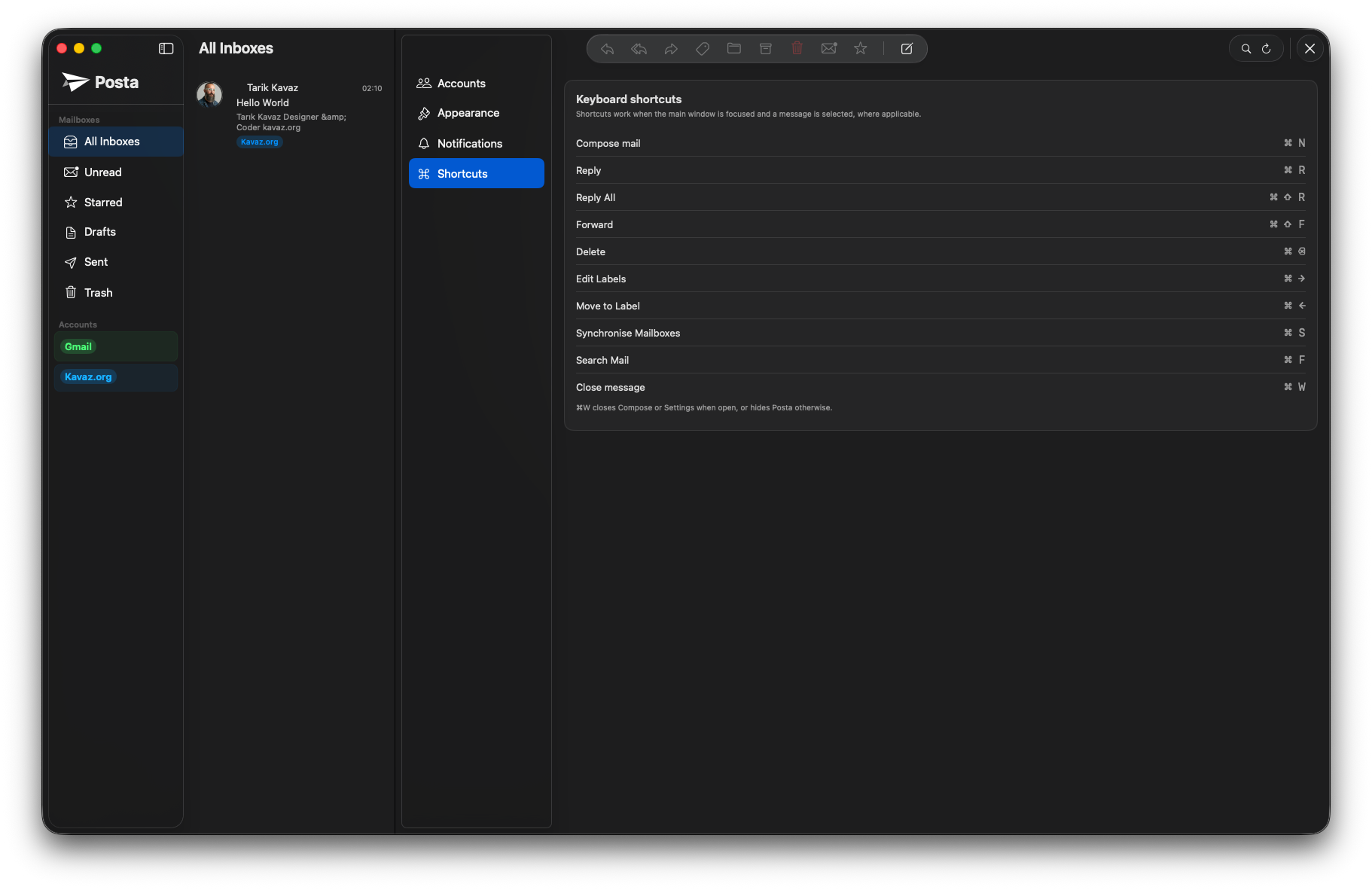
One small detail I am happy with is how Command-W behaves. In most apps it closes the window. In Posta it closes Compose or Settings when they are open, and otherwise hides the app, so my inbox is always one click away.
Posta can also live in the menu bar. The menu bar icon shows the unread count and gives quick access to recent unread mail. When you close the window, Posta keeps checking for mail from there. You can make it open at login and hide the Dock icon if you prefer it to stay out of the way.
How It Handles Accounts
Multiple accounts were the reason Posta exists, so this part got the most attention.
You add each Google account with a normal Google sign-in, and Posta stores the tokens in the macOS Keychain. Gmail and Google Workspace accounts work the same way. Some Workspace administrators need to approve the app before an account can connect, which is a Workspace policy rather than something Posta controls.
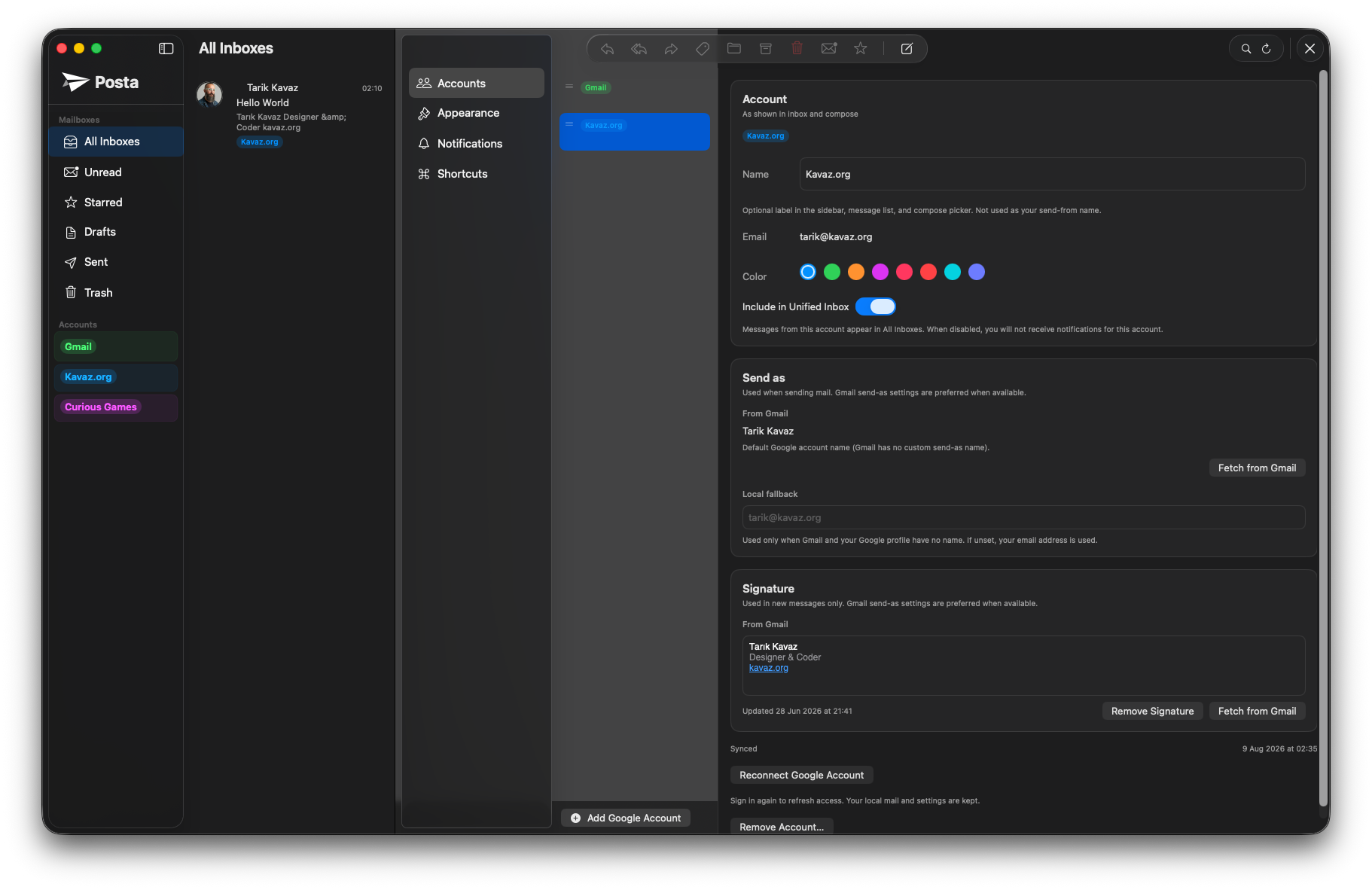
Every account gets a name and a colour. That colour appears as a badge in the sidebar, on each message in the unified inbox, and in the compose window, so I always know which account a message belongs to and which account I am replying from. You can also drag accounts into the order you want in the sidebar.
Each account has an Include in Unified Inbox switch. When it is off, that account stays available in the sidebar, but its mail does not appear in All Inboxes, does not count towards the badge and does not send notifications. I use this for an account I need to check sometimes, but do not want interrupting me.
Posta uses your Gmail send-as name and signature when they exist, with a local fallback for each account. If an account's access expires, a Reconnect Google Account button signs you in again and keeps your local mail and settings.
There is also Transfer to Account. It copies a message into another connected account's inbox, keeping its unread and starred state, and then archives it in the original account. It is useful when something arrives at the wrong address and I want to handle it where it belongs.
What It Deliberately Leaves Out
Posta is narrow on purpose, and the list of things it does not do is as important as the list of things it does.
- No IMAP or other providers. Posta is for Gmail and Google Workspace only. Supporting other providers would bring back the translation problems I wanted to avoid.
- No permanent delete. Deleting moves mail to Trash, and Gmail empties it on its own schedule. I would rather have a safety net than one more irreversible button.
- No scheduled send or Gmail push. Gmail's web app handles scheduling well enough for the rare times I need it. Background checking is good enough for new mail.
- No backend, no analytics. Posta talks directly to Google. Mail metadata and cached messages stay in a local database on your Mac, and tokens stay in the Keychain. The Posta page has the full privacy policy and terms.
Leaving these out keeps the app small enough for one person to maintain.
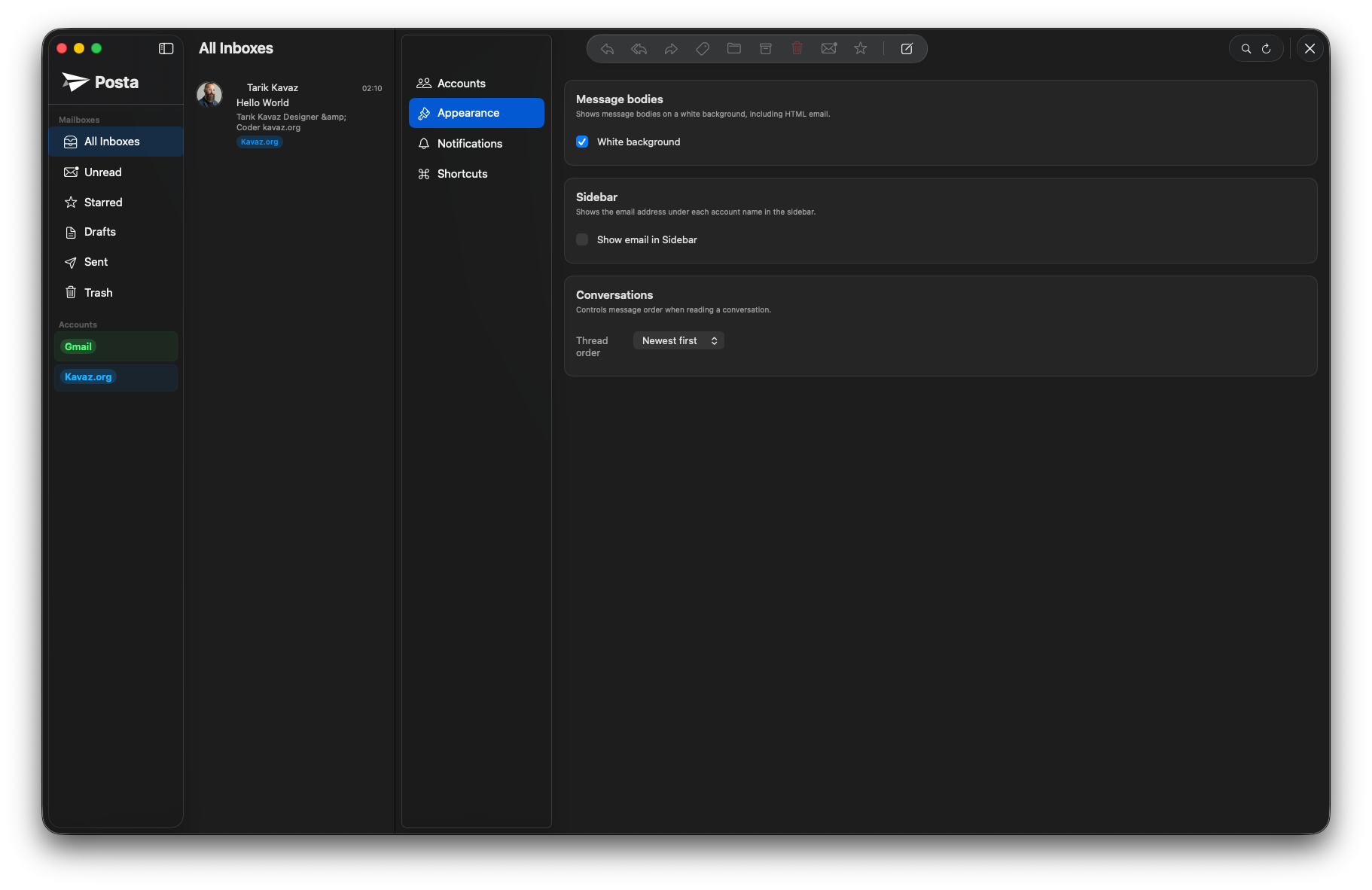
The settings follow the same idea. Appearance has a handful of options, such as showing HTML mail on a white background so badly designed newsletters stay readable in dark mode. If an option does not solve a problem I have actually had, it is not there.
What Building It Taught Me
Gmail is an API, not a mailbox. Using the Gmail API meant thinking in messages, threads, labels and history instead of folders. Once I accepted Gmail's model, many features became simpler. Archive is just removing a label. Starring is adding one.
Rich text is the hardest part of a mail client. Rendering incoming HTML safely, keeping it readable in dark mode, turning the compose editor into correct HTML and plain-text parts, and encoding headers with non-ASCII names like mine took more effort than syncing.
Focus and keyboard navigation take real work in SwiftUI. Getting focus to move predictably between the sidebar, the message list, the label pickers and the compose fields took many small iterations. It is invisible when it works, which is exactly the point.
Daily use is the best bug report. Most of Posta's improvements came from using it every day: a message list that overlapped the sidebar on launch, a Command-W that did the wrong thing, a label picker that needed suggestions. I would not have found these by testing a list of features.
Installing Posta
Posta needs macOS 14 Sonoma or later. Install it with Homebrew:
brew install --cask tarikkavaz/tap/postaTo update later:
brew upgrade --cask postaOpen Posta, choose Add Account and sign in with your Google account. There is no Google Cloud setup or configuration on your side. Privacy and legal details are on the Posta page.
Posta is still early software, and it is shaped around how I use email. If you have several Google accounts and want a native Mac app that respects Gmail's way of doing things, it might suit you too.