
The Missing Cursor IDE Settings Reference
December 26, 2025
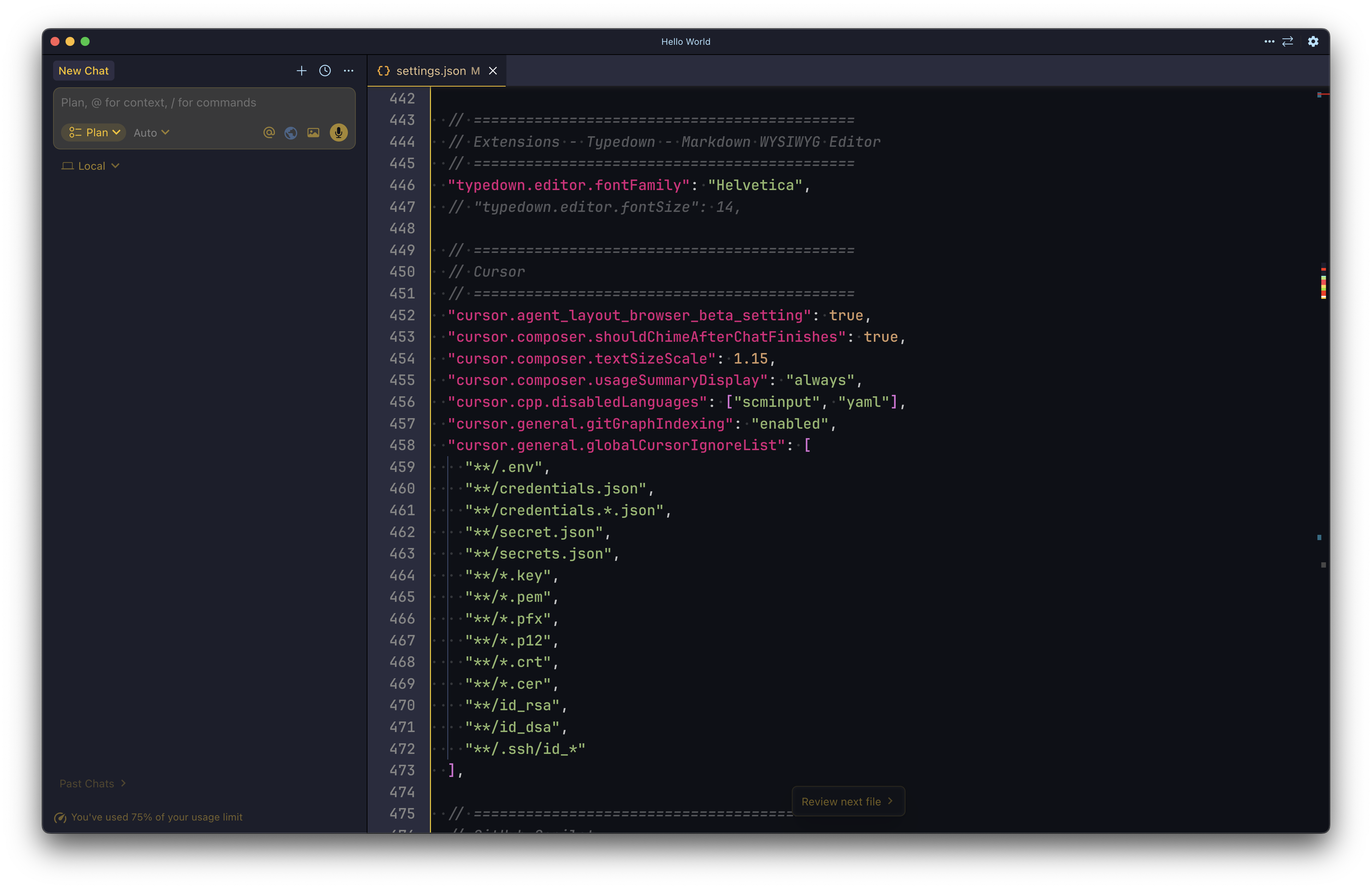
Cursor is a powerful editor, but much of its real strength lives in undocumented or lightly documented settings.json options. Many of these settings control how the AI behaves, how much context it sees, how safely it executes commands, and how noisy or quiet the UI feels day to day.
This post is a curated reference of Cursor IDE settings that actually matter. Each setting is explained in plain terms, including what it does, which values it accepts, when you should enable it, and when you should not. At the end, you will also find ready-to-use presets for safe, balanced, and aggressive workflows.
If you use Cursor daily and want predictable behavior instead of surprises, this guide is for you.
What this guide includes
- Clear explanations of Cursor specific
settings.jsonoptions - Available values and copy-ready JSON snippets
- Decision guides for when to enable or disable each setting
- Notes on defaults versus overrides
- Risk level tags for safety sensitive options
- Preset configurations: minimal, sane, and aggressive
How to use this document
User settings apply globally (recommended for UI preferences and security related defaults).
- Workspace settings apply per project (recommended for repo specific indexing and language toggles).
When a setting is unknown in your Cursor version, Cursor may ignore it or remove it after restart.
Risk levels:
- Low risk: UI or display preferences
- Medium risk: performance, indexing, context size changes
- High risk: anything that can execute commands automatically or reduce review friction
General & Indexing Settings
Disable HTTP/2 for all network requests (Risk: Medium)
Forces Cursor to use HTTP/1.1 instead of HTTP/2. Useful in restrictive networks, proxies, or VPNs.
-
Options:
true– disable HTTP/2false– default behavior
-
Defaults vs overrides: Default is typically
false(HTTP/2 enabled) -
Use this if: Remote SSH install or agent networking fails You see frequent connection resets behind a proxy or corporate network
-
Avoid if: Everything works fine (keep defaults)
"cursor.general.disableHttp2": trueDisable HTTP/1.1 Server-Sent Events (Risk: Medium)
Prevents Cursor from using SSE over HTTP/1.1. Often paired with disabling HTTP/2 for compatibility.
-
Options:
true– disable SSEfalse– default behavior
-
Defaults vs overrides: Default is typically
false -
Use this if: You have streaming or long-lived connection issues in chat
-
Avoid if: Chat streaming works fine
"cursor.general.disableHttp1SSE": trueEnable Shadow Workspace (Risk: Medium)
Allows Cursor to operate on a background copy of your project for safer analysis and edits.
-
Options:
true– enablefalse– disable
-
Defaults vs overrides:Default may vary by version
-
Use this if: You want safer, more isolated agent edits
-
Avoid if: You have tight disk constraints or notice performance overhead
"cursor.general.enableShadowWorkspace": trueAI context size (Risk: Medium)
Controls how much code and project context the AI can load. Larger can improve accuracy but may increase latency.
-
Options:
"small"– minimal context, faster"medium"– balanced (often default)"large"– maximum context, slower
-
Defaults vs overrides: Usually
"medium" -
Use this if: The agent keeps missing relevant files or patterns
-
Avoid if: You want fast interactions or you are working on small scripts
"cursor.general.contextSize": "large"Git graph indexing (Risk: Medium)
Controls whether Cursor builds an internal Git commit graph for better history-aware context.
-
Options:
"enabled"– index Git history"disabled"– skip Git indexing
-
Defaults vs overrides: Usually
"enabled" -
Use this if: Git features and history based context are helpful
-
Avoid if: Cursor freezes or slows down on big repos
"cursor.general.gitGraphIndexing": "enabled"Global Cursor ignore list (Risk: Low)
Glob patterns excluded from indexing and AI context across all projects.
-
Options:
- Array of glob patterns
- Supports negation with
!pattern
-
Defaults vs overrides: Empty by default
-
Use this if: You want to prevent secrets and large generated folders from being scanned
-
Avoid if: You rely on the AI reading environment files or secrets (not recommended)
"cursor.general.globalCursorIgnoreList": [
  "**/.env",
  "**/credentials.json",
  "**/credentials.*.json",
  "**/secret.json",
  "**/secrets.json",
  "**/*.key",
  "**/*.pem",
  "**/*.pfx",
  "**/*.p12",
  "**/*.crt",
  "**/*.cer",
  "**/id_rsa",
  "**/id_dsa",
  "**/.ssh/id_*"
]Chat & Composer
Automatically run terminal commands (Risk: High)
Allows the agent to execute terminal commands without confirmation.
-
Options:
true– auto-run commandsfalse– ask first (safer)
-
Defaults vs overrides: Usually
false -
Use this if: You fully trust the agent and want faster workflows
-
Avoid if: You want to review commands before they run (recommended)
"cursor.chat.autoRunMode": falseShow suggested files in chat (Risk: Low)
Displays files Cursor thinks are relevant to the conversation.
-
Options:
true– showfalse– hide
-
Defaults vs overrides: Usually
true -
Use this if: You want quicker navigation and context selection
-
Avoid if: You prefer a cleaner UI
"cursor.chat.showSuggestedFiles": trueCollapse input pills (Risk: Low)
Hides file and rule tags in the chat input UI.
-
Options:
true– collapsedfalse– visible
-
Defaults vs overrides: Usually
false -
Use this if: You want a cleaner input area
-
Avoid if: You often manage multiple attached files and need visibility
"cursor.chat.collapseInputBoxPills": trueComposer Behavior
Enable Composer (Risk: Medium)
Master switch for AI features.
-
Options:
true– enabledfalse– disabled
-
Defaults vs overrides: Usually
true -
Use this if: You want Cursor AI features active
-
Avoid if: You want a pure editor experience
"cursor.composer.enabled": trueAllow custom modes (Risk: Low)
Enables user-defined agent modes.
-
Options:
true– allowfalse– disallow
-
Defaults vs overrides: Usually
trueor absent -
Use this if: You want custom workflows (lint-first, test-first, etc.)
-
Avoid if: You want fewer moving parts
"cursor.composer.shouldAllowCustomModes": truePlay sound when response finishes (Risk: Low)
Plays a chime when the AI completes a response.
-
Options:
true– sound onfalse– sound off
-
Defaults vs overrides: Usually
falseor absent -
Use this if: You multitask and want an audio cue
-
Avoid if: You work in quiet environments
"cursor.composer.shouldChimeAfterChatFinishes": trueComposer text size scale (Risk: Low)
Scales AI response text.
- Options:
- Any number, practical range
0.8to1.5
- Any number, practical range
- Defaults vs overrides: Usually
1.0 - Use this if: You want improved readability
- Avoid if: You prefer dense UI
"cursor.composer.textSizeScale": 1.15Show token usage summary (Risk: Low)
Controls token usage visibility after responses.
-
Options:
"always"– always show"auto"– show when relevant"never"– never show
-
Defaults vs overrides: Often
"auto"or absent -
Use this if: You track usage or costs
-
Avoid if: You want a cleaner UI
"cursor.composer.usageSummaryDisplay": "always"Cursor Tab (Inline Completion)
Enable inline code suggestions (Risk: Medium)
Controls Cursor ghost text completions while typing.
-
Options:
true– enablefalse– disable
-
Defaults vs overrides: Usually
true -
Use this if: You like inline completions and faster typing
-
Avoid if: You prefer manual coding or use another completion tool
"cursor.cpp.enable": trueEnable partial accepts (Risk: Low)
Allows accepting suggestions word by word.
-
Options:
true– enablefalse– disable
-
Defaults vs overrides: May be
falseby default -
Use this if: You want finer control over accepting suggestions
-
Avoid if: You prefer full accept only
"cursor.cpp.enablePartialAccepts": trueDisable inline suggestions for specific languages (Risk: Low)
Prevents Cursor Tab from activating in selected file types.
- Options:
- Array of VS Code language IDs
- Defaults vs overrides: Empty by default
- Use this if: Cursor Tab is noisy in markdown, YAML, commit messages
"cursor.cpp.disabledLanguages": [
  "markdown",
  "yaml",
  "scminput"
]Agent Mode
Enable integrated browser (beta) (Risk: Medium)
Adds an in-editor browser panel to Agent mode.
-
Options:
true– enablefalse– disable
-
Defaults vs overrides: Usually
false(beta feature) -
Use this if: You want the agent to view and interact with web pages inside Cursor
-
Avoid if: You prefer fewer beta features
"cursor.agent_layout_browser_beta_setting": trueYOLO mode (Risk: High)
Allows the agent to execute allowed commands autonomously.
-
Options:
true– autonomous executionfalse– manual approval (recommended)
-
Defaults vs overrides: Usually
false -
Use this if: You understand the risk and have strict allow/deny lists
-
Avoid if: You work on production repos or sensitive systems (recommended)
"cursor.agent.yoloMode": falseMaximum agent context tokens (Risk: Medium)
Limits how much context the agent can load.
- Options:
- Any positive integer
- Defaults vs overrides: Often very large by default
- Use this if: You want to cap memory usage or improve speed
- Avoid if: The agent starts missing context or files
"cursor.agent.maxContextTokens": 200000Diff & Terminal
Character-level diffs (Risk: Low)
Shows fine-grained diffs highlighting individual character changes.
-
Options:
true– character-levelfalse– line-level
-
Defaults vs overrides: Usually
false -
Use this if: You review many small refactors and want precision
-
Avoid if: You prefer simpler diffs
"cursor.diffs.useCharacterLevelDiffs": trueTerminal preview box (Risk: Medium)
Routes agent terminal output through a preview panel before executing in the real terminal.
-
Options:
true– preview enabled (safer)false– direct terminal execution
-
Defaults vs overrides: Often
truein some versions for safety -
Use this if: You want to review terminal output before it runs
-
Avoid if: You want maximum speed and trust the agent
"cursor.terminal.usePreviewBox": truePresets
These are example settings.json blocks. Mix and match.
Preset A: Minimal and safe
Good if you want Cursor AI, but with conservative behavior and minimal surprises.
{
  "cursor.chat.autoRunMode": false,
  "cursor.terminal.usePreviewBox": true,
  "cursor.composer.enabled": true,
  "cursor.cpp.enable": true,
  "cursor.cpp.enablePartialAccepts": true,
  "cursor.cpp.disabledLanguages": ["scminput", "yaml", "markdown"],
  "cursor.general.gitGraphIndexing": "enabled",
  "cursor.general.globalCursorIgnoreList": [
    "**/.env",
    "**/secrets.json",
    "**/*.key",
    "**/*.pem",
    "**/.ssh/id_*"
  ]
}Preset B: Sane defaults for daily work
Balanced: keeps safety, improves readability, and adds helpful UI toggles.
{
  "cursor.chat.autoRunMode": false,
  "cursor.chat.showSuggestedFiles": true,
  "cursor.chat.collapseInputBoxPills": true,

  "cursor.composer.enabled": true,
  "cursor.composer.shouldAllowCustomModes": true,
  "cursor.composer.shouldChimeAfterChatFinishes": false,
  "cursor.composer.textSizeScale": 1.1,
  "cursor.composer.usageSummaryDisplay": "auto",

  "cursor.cpp.enable": true,
  "cursor.cpp.enablePartialAccepts": true,
  "cursor.cpp.disabledLanguages": ["scminput", "yaml", "markdown"],

  "cursor.general.contextSize": "medium",
  "cursor.general.gitGraphIndexing": "enabled",
  "cursor.terminal.usePreviewBox": true
}Preset C: Aggressive and fast
Fast agent workflows. Higher risk. Use only if you understand the implications.
{
  "cursor.chat.autoRunMode": true,
  "cursor.terminal.usePreviewBox": false,

  "cursor.composer.enabled": true,
  "cursor.composer.shouldAllowCustomModes": true,
  "cursor.composer.shouldQueueWhenGenerating": true,
  "cursor.composer.textSizeScale": 1.15,
  "cursor.composer.usageSummaryDisplay": "always",

  "cursor.cpp.enable": true,
  "cursor.cpp.enablePartialAccepts": true,

  "cursor.general.contextSize": "large",
  "cursor.general.gitGraphIndexing": "enabled",

  "cursor.agent_layout_browser_beta_setting": true,
  "cursor.agent.yoloMode": false,
  "cursor.agent.maxContextTokens": 200000
}Some settings are experimental and may change between Cursor versions.
Credits
Header image background uses a modified wallpaper from Folds (Wallpaper Pack) by Marcus Wilter, licensed via Gumroad.