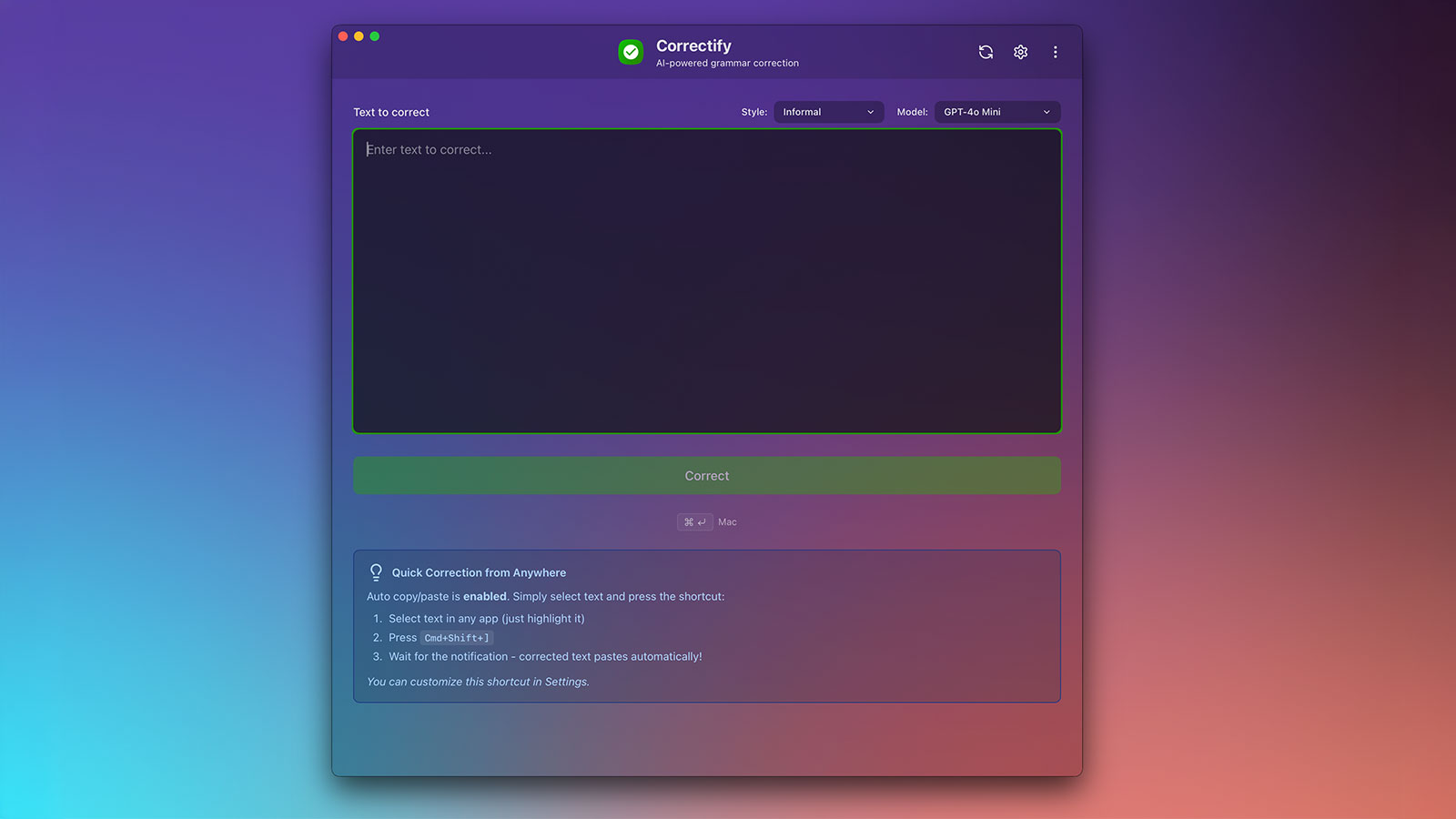
Correctify - A Privacy-First Grammar Correction App
November 21, 2025
Have you ever found yourself writing an important email or document and second-guessing your grammar? Most of us have, and we've probably turned to cloud-based grammar checkers that send our text to remote servers. But what if you're working with sensitive information, or you simply value your privacy? That's where Correctify comes in.
Correctify is a desktop app that brings AI-powered grammar correction to your menubar, with one crucial difference: your data never leaves your device. It's a simple, cross-platform grammar correction app powered by multiple AI providers. You bring your own API key, choose from 14 models (including free options), and keep everything private with secure local storage.
Why Privacy Matters in Grammar Correction
Most grammar checkers work by sending your text to cloud servers for processing. While convenient, this means your writing—potentially containing sensitive information, personal thoughts, or confidential content—travels through third-party servers. Correctify takes a different approach: all processing happens directly from your device to the AI provider of your choice, with no intermediary servers and no data collection.
The app corrects grammar, spelling, and punctuation while preserving your writing style and formatting. It's a minimal, distraction-free menubar app that works seamlessly on macOS, Windows, and Linux. Whether you're writing code comments, documentation, emails, or blog posts, Correctify integrates into your workflow without getting in the way.
Features That Make a Difference
When I built Correctify, I wanted to solve the privacy problem while maintaining the convenience of modern AI-powered grammar correction. Here's what makes it stand out:
Privacy by Design - Your API keys are stored with OS-level encryption in protected app data directories. The app automatically migrates from less secure storage methods and uses Base64 encoding as an additional obfuscation layer. This isn't just about security—it's about giving you control over your data.
Flexibility Across Providers - You're not locked into a single AI provider. Choose from OpenAI, Anthropic, Mistral, and OpenRouter. Configure API keys for each provider independently, giving you the flexibility to use different models for different needs. Working on something that needs Claude's nuanced understanding? Switch to Anthropic. Need something faster and cheaper? Use GPT-3.5 Turbo.
Accessibility Through Free Models - Four free models are available via OpenRouter (no credit card needed). This makes Correctify accessible even if you don't want to pay for API access. You can get started immediately and upgrade to paid models when you need better quality or more features.
Local Usage Tracking - Monitor token usage, costs, and performance locally. All tracking happens on your device, giving you insights into your usage patterns without compromising privacy. It's like having a dashboard for your AI usage, but one that never sends data anywhere.
Intelligent Fallback - The app automatically retries with free models if your primary provider fails. This means you can always get corrections when you need them, even if your paid API key runs out or a service is temporarily down.
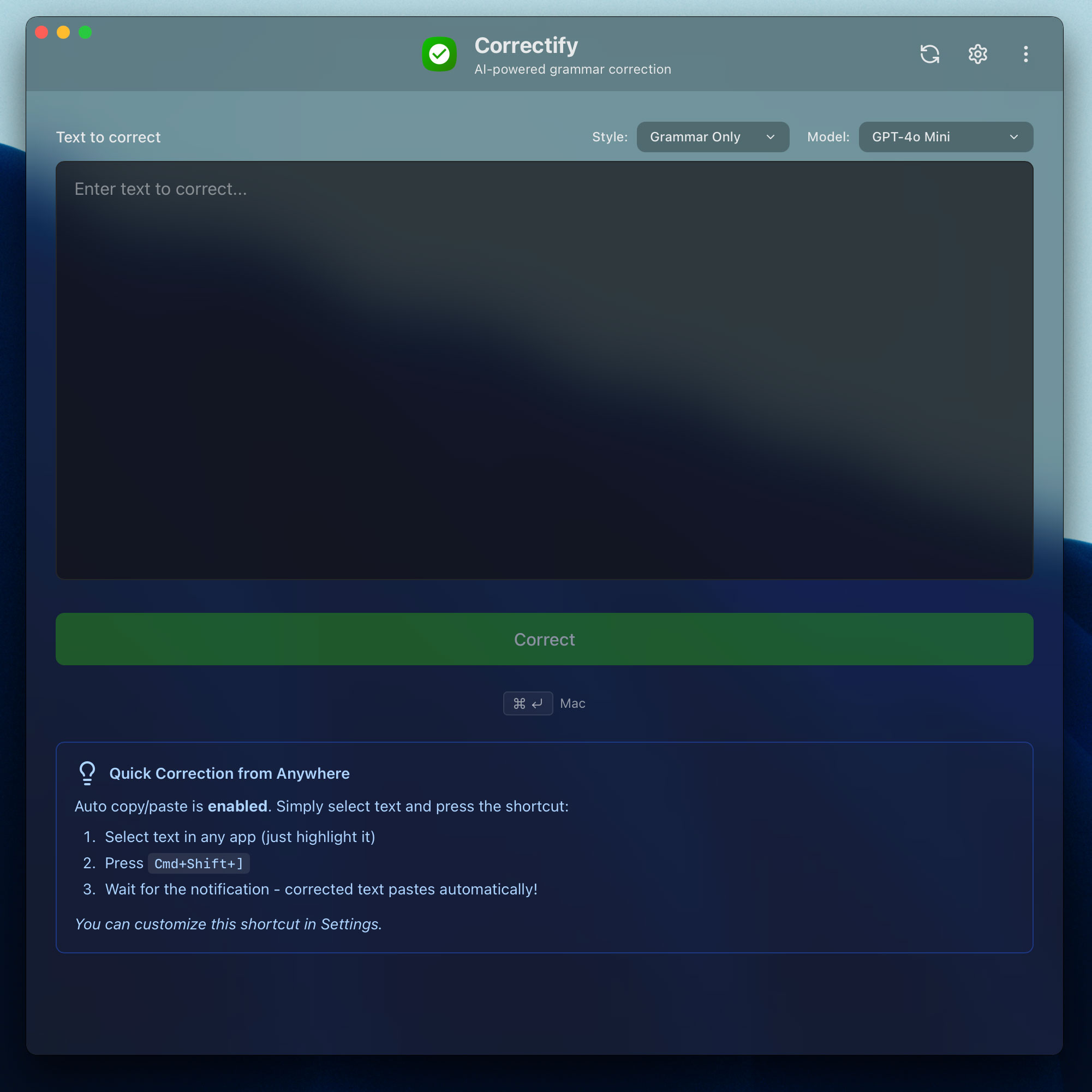
Workflow Integration - Global shortcuts let you correct text from anywhere with customizable keyboard shortcuts. The auto copy/paste feature means you can correct text in any app: copy your text, trigger Correctify, and paste the corrected version back—all with minimal friction. It's designed to feel like a native part of your operating system.
Writing Style Flexibility - Choose from five writing styles: Grammar, Formal, Informal, Collaborative, or Concise. Whether you're writing a technical document or a casual email, you can match the tone to your needs.
Thoughtful Details - Custom update notifications with beautiful in-app modals and release notes keep you informed without being intrusive. Full localization support for English, German, French, and Turkish makes the app accessible to a global audience. The modern, clean interface gets out of your way and lets you focus on what matters: your writing.
Choosing the Right Model
One of Correctify's strengths is the variety of models you can choose from. Whether you need the latest GPT models for complex corrections or want to use free models for everyday writing, you have options.
Paid Models: When Quality Matters
For professional writing, technical documentation, or when you need the best possible corrections, the paid models deliver:
- OpenAI: GPT-5, GPT-5 Mini, GPT-4o, GPT-4o Mini, GPT-4 Turbo, GPT-3.5 Turbo
- Anthropic: Claude 3.5 Sonnet, Claude 3.5 Haiku
- Mistral: Mistral Large, Mistral Small
These models excel at understanding context, preserving your writing style, and making nuanced corrections that go beyond simple grammar fixes.
Free Models: Getting Started Without Cost
Four free models are available through OpenRouter, requiring only a free account (no credit card needed):
- Meta Llama: Llama 3.2 3B
- Google Gemma: Gemma 2 9B
- Microsoft Phi: Phi-3 Mini
- Mistral: Mistral 7B
These models are perfect for getting started, testing the app, or handling everyday writing tasks. While they may not match the quality of paid models for complex corrections, they're surprisingly capable and completely free.
OpenRouter free models require a free account and API key (no credit card needed).
Security You Can Trust
Privacy and security aren't afterthoughts in Correctify—they're fundamental to how the app works. When you store API keys in the app, they're encrypted and stored in OS-protected app data directories:
- macOS:
~/Library/Application Support/com.correctify/.keys/ - Windows:
%APPDATA%\com.correctify\.keys\ - Linux:
~/.config/com.correctify/.keys/
The app automatically migrates from less secure storage methods (like localStorage) to this secure storage, so you don't have to worry about manually migrating your keys. Each provider's keys are stored independently, and Base64 encoding adds an additional obfuscation layer.
Most importantly, your keys never leave your device. They're never sent to any server, and all API requests are made directly from your device to the LLM provider you choose. There are no intermediary servers, no data collection, and no privacy concerns. Your writing stays yours.
Getting Started
Ready to try Correctify? Download it from GitHub Releases. The app is available for macOS, Windows, and Linux, so you can use it regardless of your operating system.
Once installed, you'll need to configure at least one API key to get started. If you don't have a paid API key, you can sign up for a free OpenRouter account and use one of the free models. The app will guide you through the setup process, and you'll be correcting grammar in minutes.
Correctify is open source and available under the MIT License, so you can inspect the code, contribute improvements, or fork it for your own needs. If you run into issues or have feature requests, check out the GitHub Issues page.