
Posta
Free · Requires macOS 14 Sonoma or later
A native Mac mail client for Gmail and Google Workspace. Built in SwiftUI on the Gmail API, with all your accounts in one window and no server in between.
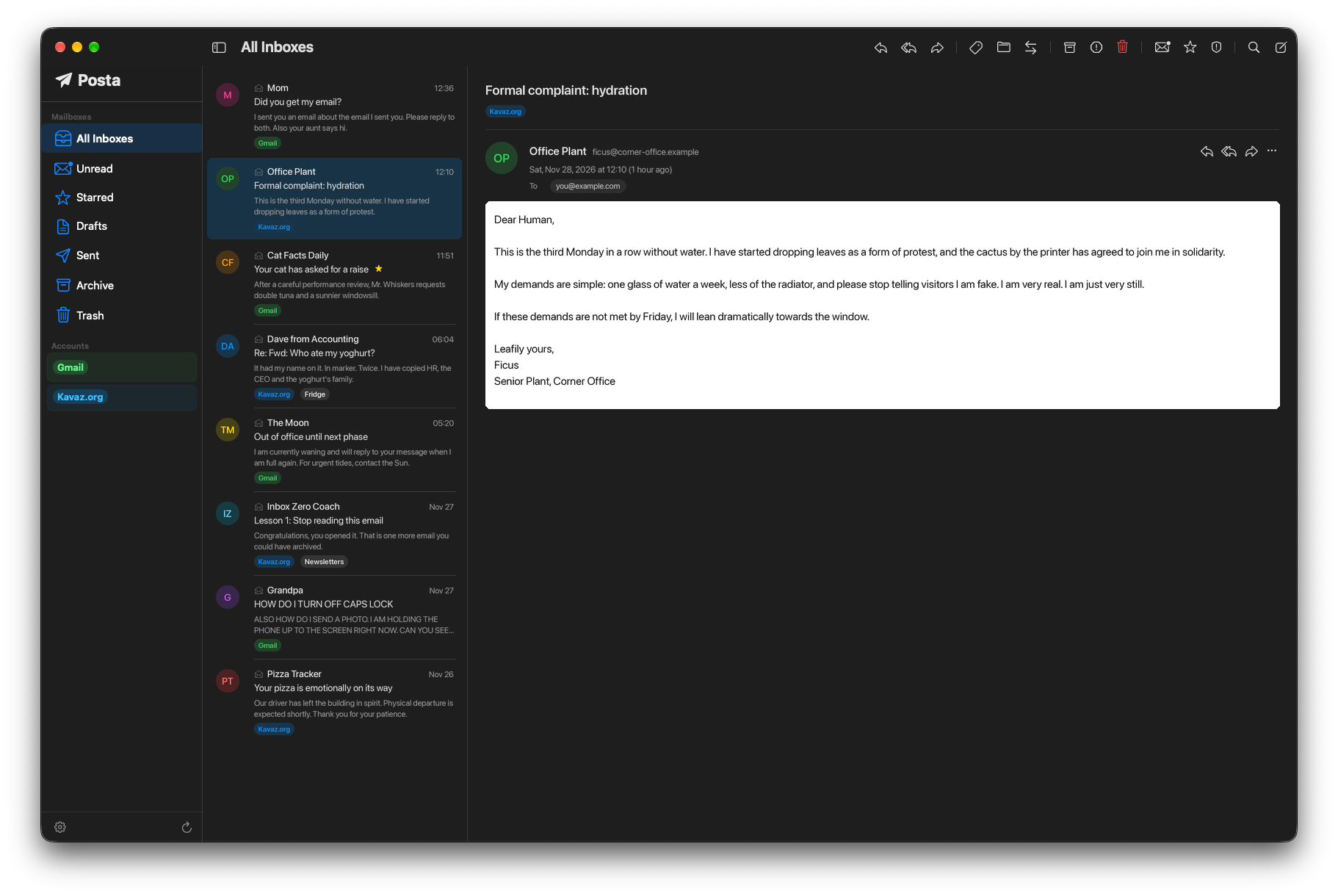
Features marked optional are off by default. Turn them on in Settings.
Accounts
Multiple accounts, one inbox
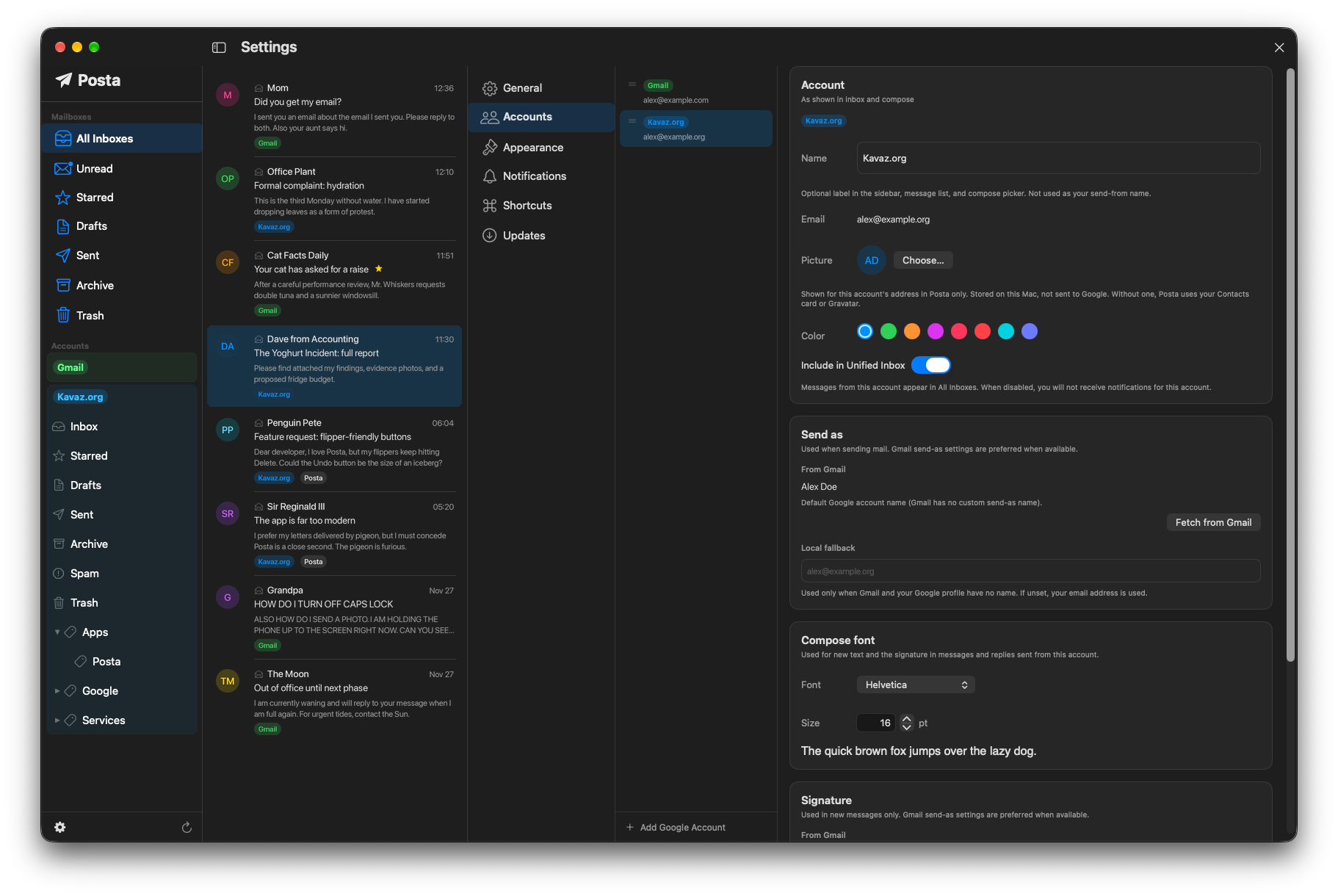
Add every Gmail and Google Workspace account you use. All Inboxes shows them together, and each account keeps its own colour so you always know where a message landed.
- Unified All Inboxes with account colours and badges
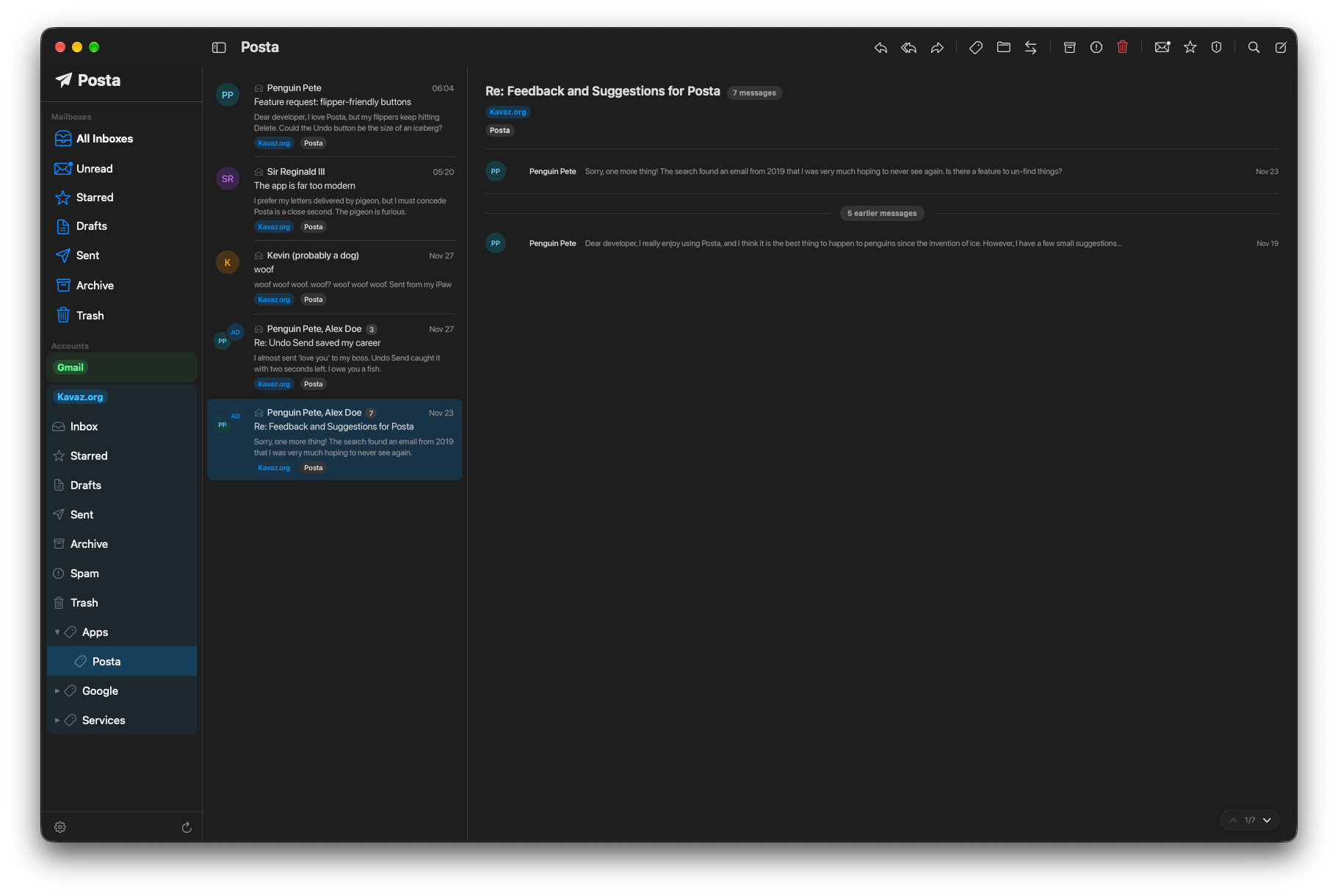
- Per-account Inbox, Starred, Drafts, Sent, Trash, Archive, Spam and Important
- Your own picture for each account
- Gmail labels in the sidebar and in messages, with their colours (optional) and visibility from Gmail
- Edit labels, and keep the ones you use most in a Favorites section
Profiles
Profiles for work and home
Group accounts into profiles, such as Work and Personal, each with its own icon and colour. One click in the toolbar, or Control-0 to Control-9, narrows Posta to one profile.
- The sidebar, unified mailboxes, notifications and the Dock badge follow the active profile
- Working hours for each profile: notifications and sounds stay quiet outside them, while mail keeps syncing
- Focus filters: a macOS Focus such as Work or Sleep can switch Posta to a profile, and switches back when the Focus ends
Keyboard
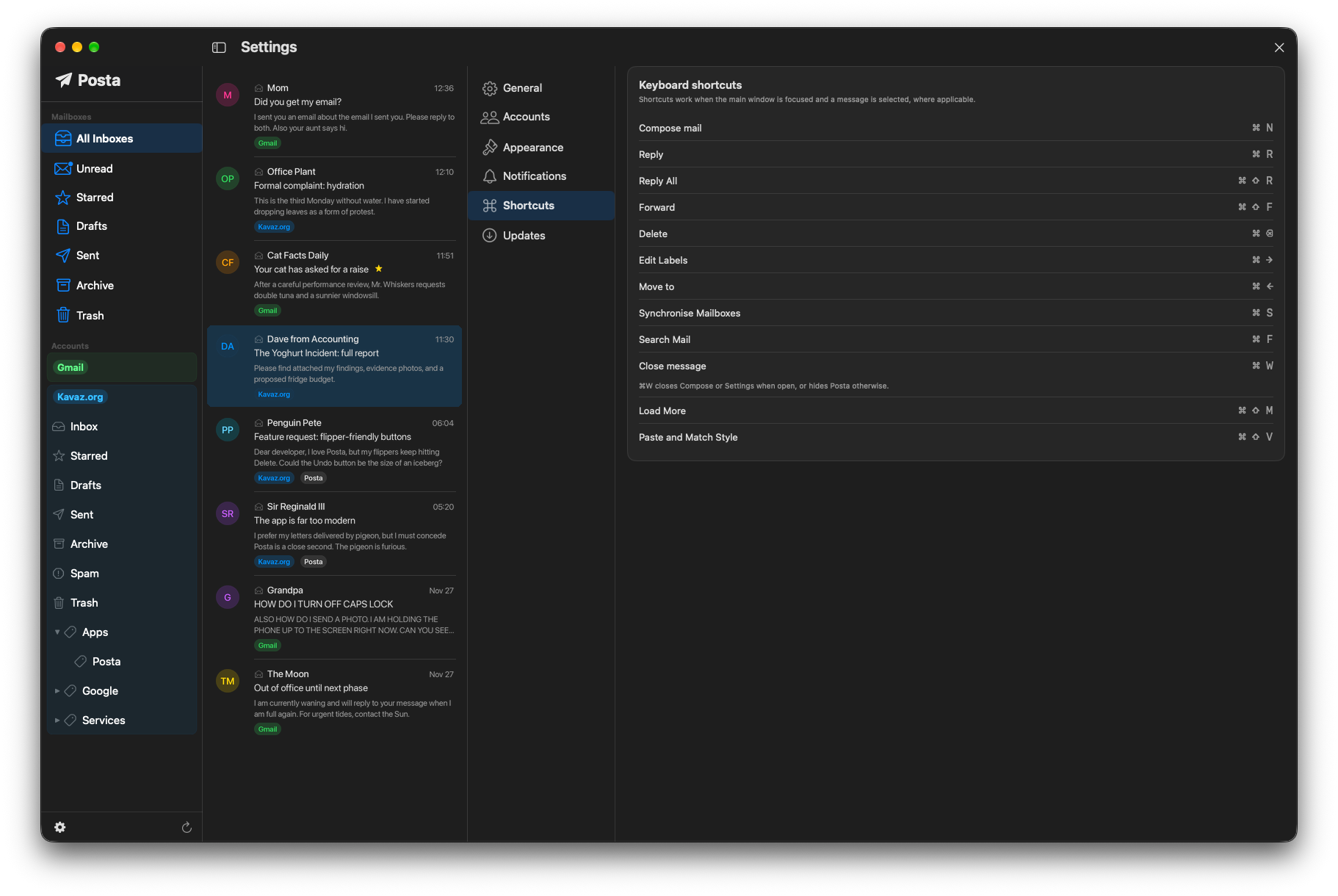
Fast, and keyboard-first
Search, jump and act without reaching for the mouse.
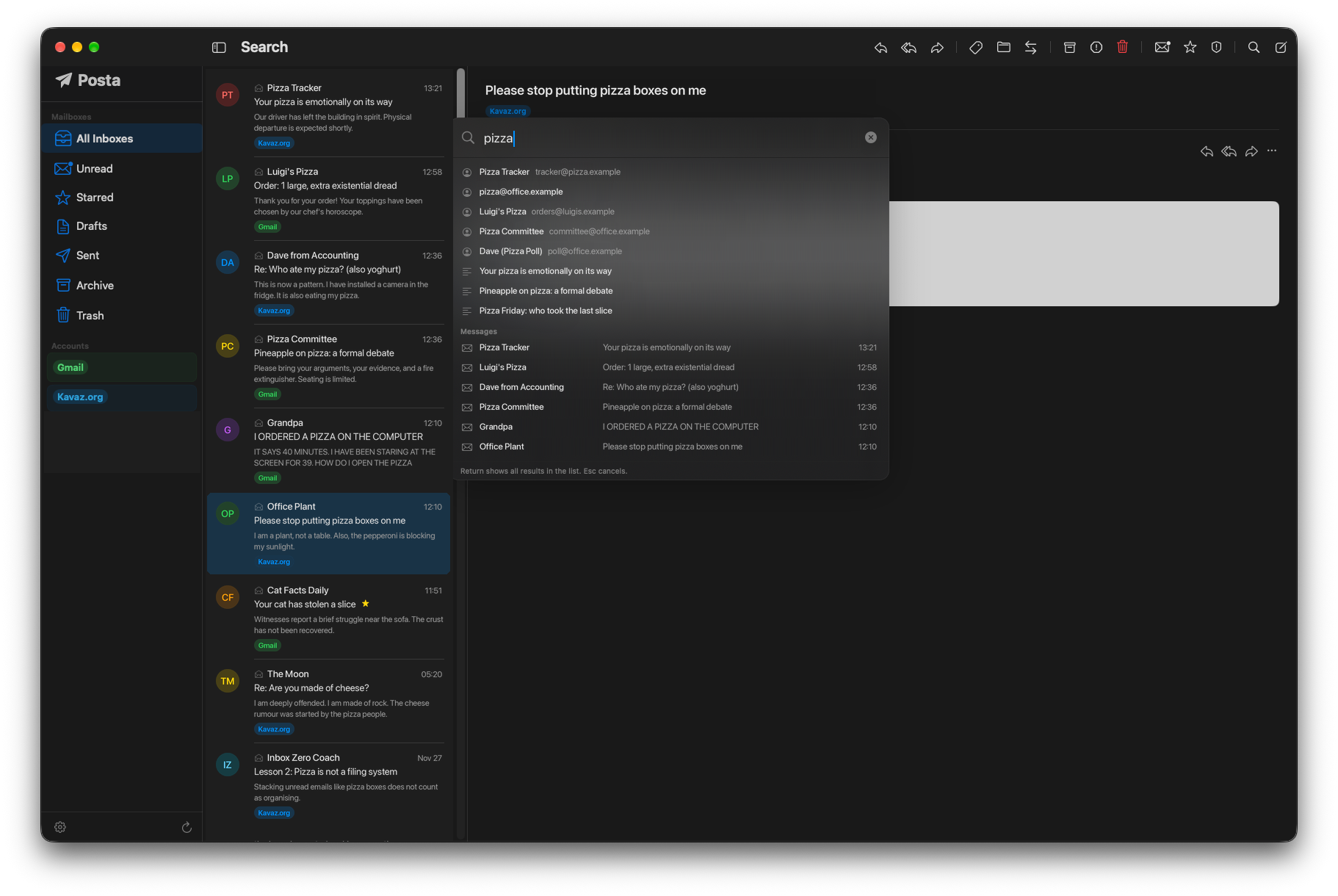
- Spotlight-style search across all accounts with Cmd-F, matching local mail instantly and Gmail as you type
- Command palette with Cmd-K
- Cmd-Return to send, Delete to move to Trash
- Every shortcut listed in Settings
Reading
Reading that stays readable
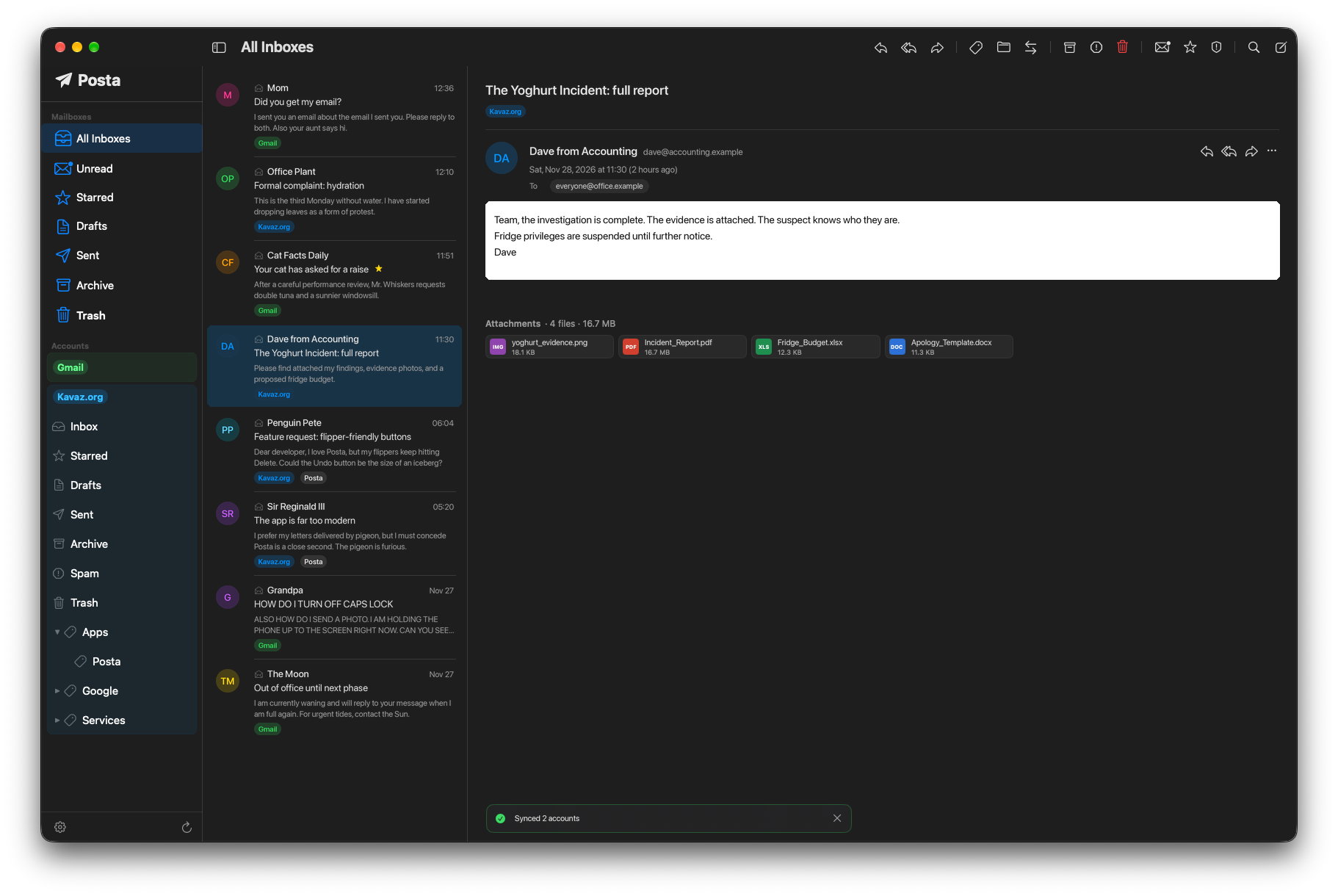
HTML mail renders as the sender intended, and long conversations fold down to what is new.
- HTML mail with inline images
- Conversation threads that collapse, with quoted text folded away
- Quick Look previews for attachments, image previews, and Download All
- Calendar invitations as a card with Accept, Maybe and Decline, plus Add to Calendar
- Sender capsules with right-click actions
- Contact photos as sender pictures, with website icons or Gravatar pictures when there is none (both optional)
- Larger or smaller text with Cmd-plus and Cmd-minus, in messages and in compose
Writing
Writing in its own window
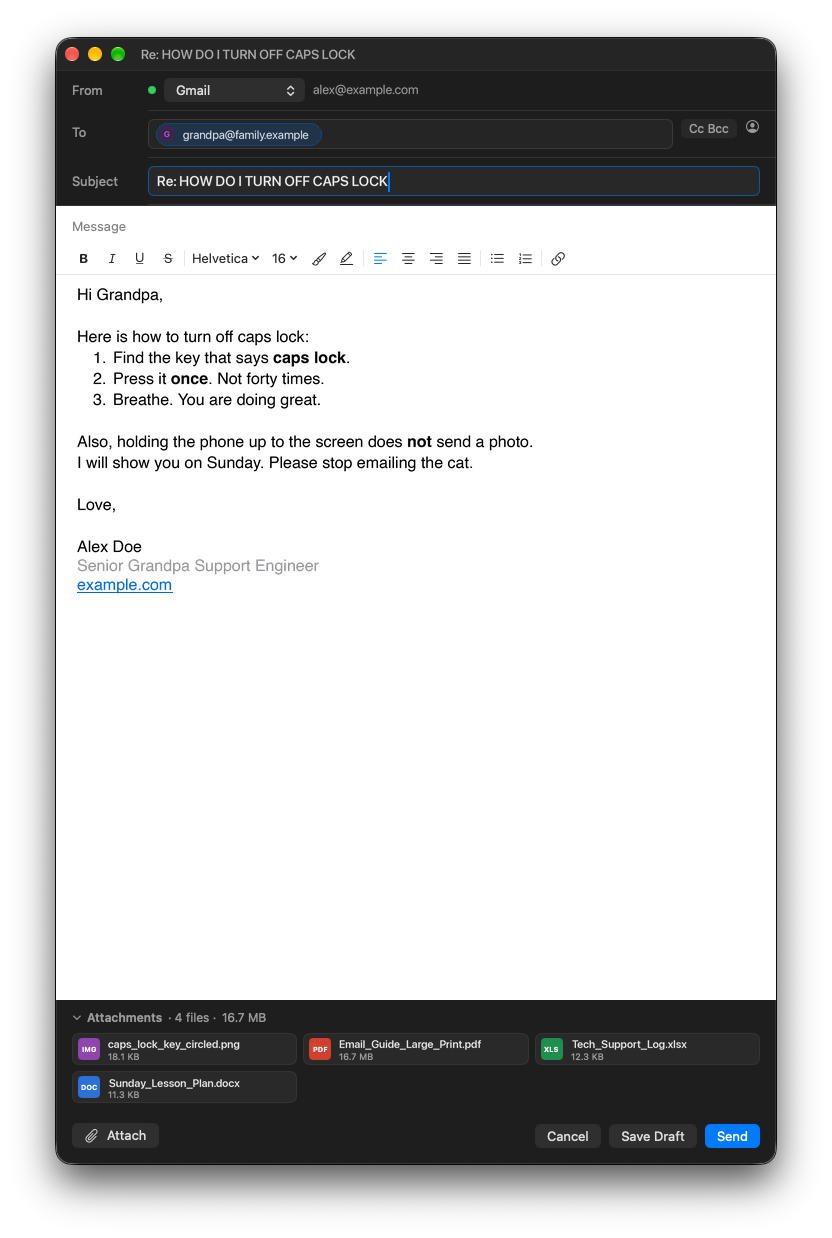
Compose opens in its own window, and you can have several open at once, so you can keep reading while you write.
- Rich text: bold, lists, alignment and links
- Markdown shortcuts, code blocks, Paste as Markdown, and a toggle to see the Markdown source
- More fonts, including monospace faces, sent with fallbacks so recipients see something close
- Full Writing Tools from Apple Intelligence in the message body
- Compose font and signature for each account, with the signature in replies and forwards too (optional)
- Undo Send, from 5 to 30 seconds
- Send and Archive for replies and forwards (optional)
- Always show Cc and Bcc (optional)
- Paste and Match Style
Inserting
Images, templates and mentions
Put pictures in the text itself, reuse what you write often, and add people as you type their name.
- Inline images from paste, drag and drop, Photos or Continuity Camera
- Insert menu with Photos, Continuity Camera photos and scans from your iPhone, and Markup in Preview
- Photo location and camera details removed before sending
- Templates with variables such as name, date and clipboard, from the compose toolbar or an optional ; shortcut
- @mentions that add the person to To
- Drag and drop attachments, with contact suggestions as you type
Organising
Organising by drag and drop
Move mail where it belongs by dragging it there, even into a different account, or snooze it until you need it.
- Snooze a conversation until a chosen time, with a Snoozed mailbox and a notification when it comes back (optional). Snoozes survive restarts, and a reply wakes the conversation early.
- Drag conversations onto labels or mailboxes
- Drag onto another account to transfer mail between accounts
- Gmail inbox category tabs: Primary, Promotions, Social, Updates and Forums (optional)
- Message list filter for unread, starred or with attachments (optional)
- Swipe actions in the message list
- Undo for archive, trash and move
- Report Spam and Important markers
Sharing
Print, share and link
Get a message out of Posta in the form you need.
- Print and export to PDF, for single messages and whole conversations
- Forward as attachment
- Share menu, plus Copy Link for Posta and for Gmail
- posta:// links that open a message straight in Posta
- Show Original, with the raw and decoded message source
Background
Stays out of the way
Posta syncs in the background and tells you about new mail the way other Mac apps do.
- Background sync for every account
- macOS notifications for new mail
- Menu bar icon, and an option to hide the Dock icon
- Can be your default mail app, so mailto links open in Posta
Privacy
Private by design
There is no Posta server, no Posta account, no analytics and no crash reports. The app talks to Google directly, so your mail never passes through anyone else.
- Email trackers blocked, and tracking parameters removed from links
- Sign-in tokens stored in the macOS Keychain
- Mail cached on your Mac, with message bodies kept for 90 days. Removing an account deletes its cache.
- Settings export and import that never include mail or sign-in details
- Settings > Privacy in the app lists every host Posta connects to, the same list as below
- Check it yourself with a network monitor such as Little Snitch or LuLu. Posta is signed with a Developer ID and notarized by Apple.
- Remove Posta's access at any time in your Google Account permissions
Every host Posta connects to
- gmail.googleapis.com
- Your mail, labels and drafts. Always.
- accounts.google.com, oauth2.googleapis.com
- Signing in and renewing access. Posta never sees your Google password.
- www.googleapis.com
- Your account's name and picture at sign-in.
- casks.kavaz.org
- Posta's update server, run by Posta's developer. It holds the list of Posta versions and the downloads, and Posta asks it about once an hour whether a newer version exists. Sees your IP address and Posta's version, never your mail or email address.
- Image hosts in messages
- Pictures in the mail you open. Known trackers are blocked when tracker blocking is on (the default).
- www.gravatar.com
- Only with Use Gravatar pictures turned on (optional). Receives a hash of each sender's address.
- Senders' websites
- Only with Use website icons turned on (optional). Sees your IP address, not your email address.
Install
Install with Homebrew, or download the zip and move Posta to Applications. Posta updates itself from inside the app.
brew install --cask tarikkavaz/tap/postaNew to Homebrew? See brew.sh for the install command.
Posta is free. If it helps you, you can buy me a coffee.